


You have a business idea. A good one. Maybe even the one. You open a notes app, start imagining logos, domains, future clients… and then it hits you:
“Is this business name even available?”
That moment—half excitement, half anxiety—is exactly where the MD business entity search becomes your best friend. And honestly, most people don’t realize how powerful (and necessary) this simple tool really is until they’re already knee-deep in paperwork.
So, let’s slow things down and walk through it together. By the end of this guide, you’ll know exactly what an MD business entity search is, how to use it properly, and why skipping it can cost you more than just time.
What Is an MD Business Entity Search?
At its core, an MD business entity search is an online lookup tool provided by the Maryland State Department of Assessments and Taxation (SDAT).
It allows you to:
- Search for registered businesses in Maryland
- Check if a business name is already taken
- View public details about existing companies
- Verify legitimacy before doing business
And yes, it’s completely free.
Actually, when you think about it, that’s kind of amazing—one free search can prevent legal trouble down the road.
Why the MD Business Entity Search Matters More Than You Think
It’s Not Just About Names
Most people assume the MD business entity search is only for checking name availability. That’s part of it, sure. But it does so much more.
You can also:
- Confirm if a business is active or inactive
- See the entity type (LLC, corporation, LLP, etc.)
- Identify the registered agent
- Review filing dates and status
And if you’re working with vendors, clients, or partners in Maryland, this tool helps you verify that they’re legit.
Trust me, that peace of mind is priceless.
Who Should Use the MD Business Entity Search?
Honestly? More people than you might expect.
You should use it if you are:
- Starting a new business in Maryland
- Registering an LLC, corporation, or nonprofit
- Buying or partnering with an existing business
- Conducting due diligence
- A freelancer checking client legitimacy
- A student researching companies
And even if you’re just curious, it’s still useful.
How to Perform an MD Business Entity Search (Step-by-Step)
Let’s break this down in the simplest way possible.
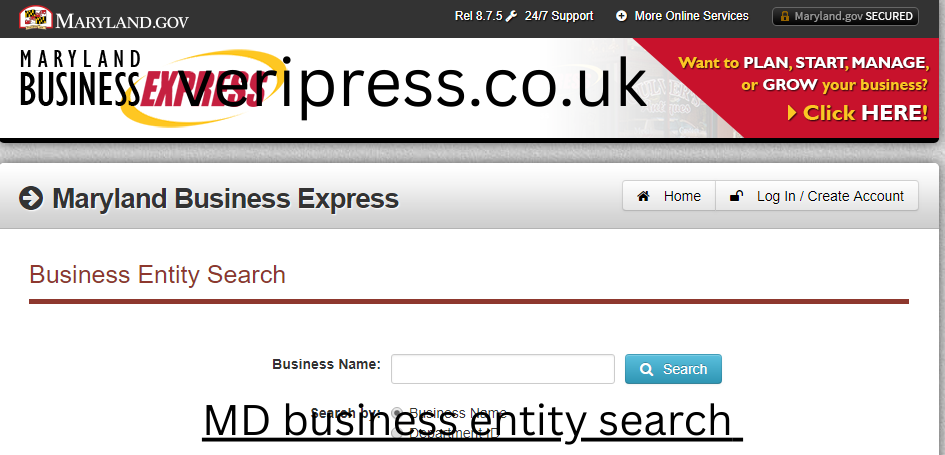
Step 1: Visit the Maryland SDAT Business Search Page
Head to the official Maryland SDAT website and locate the Business Entity Search tool.
(No login required. No payment. No hassle.)
Step 2: Choose Your Search Method
You’ll usually see options like:
- Business name search
- Department ID search
- Registered agent name search
If you’re starting out, business name search is your go-to.
Step 3: Enter the Name (or Part of It)
Here’s a pro tip people often miss:
- You don’t need the full name
- Partial words work better
For example:
- Instead of “Blue Horizon Consulting LLC”
- Try “Blue Horizon”
This gives you broader results and helps avoid surprises.
Step 4: Review the Results
Each result will show:
- Business name
- Entity type
- Status (active, forfeited, dissolved)
- Department ID
Click on any listing to see full details.
And yes, this is where things get interesting.
Understanding MD Business Entity Search Results
Business Status Explained
This part is critical.
Common statuses include:
- Active – The business is legally registered and compliant
- Forfeited – The business failed to meet requirements
- Dissolved – The business is no longer operating
- Inactive – Not currently authorized to operate
If you’re choosing a business name, active entities matter the most.
Entity Types You’ll See
During your MD business entity search, you might come across:
- LLC (Limited Liability Company)
- Corporation
- LLP (Limited Liability Partnership)
- LP (Limited Partnership)
- Nonprofit organization
Each has different legal and tax implications, which is why seeing this information upfront is so helpful.
Checking Name Availability in Maryland
Why “Close Enough” Still Counts
Here’s something many people don’t realize:
Even if a name isn’t exactly the same, it may still be unavailable.
For example:
- “Bright Path Solutions LLC”
- “Bright Path Solution LLC”
These are considered confusingly similar, and Maryland may reject your filing.
That’s why the MD business entity search should be used carefully—and creatively.
Tips to Improve Approval Chances
- Add a unique word or location
- Avoid generic terms alone
- Search multiple variations
- Check plural and singular forms
And yes, it takes extra time. But it’s worth it.
Using the MD Business Entity Search for Due Diligence
Verifying a Business Before Working With Them
Let’s say someone emails you with a “great opportunity.” Before you get excited, do a quick MD business entity search.
Check:
- Is the business active?
- How long has it existed?
- Who is the registered agent?
You’d be surprised how often this step reveals red flags.
Researching Competitors
If you’re entering a competitive market, this tool helps you:
- See how many similar businesses exist
- Identify naming trends
- Understand market saturation
It’s not spying—it’s smart research.
Common Mistakes People Make (And How to Avoid Them)
Mistake 1: Searching Only Once
Names that look available today may not be tomorrow. Always search again right before filing.
Mistake 2: Ignoring Status
Just because a name exists doesn’t mean it’s protected. An inactive or dissolved business may open opportunities—but always double-check rules.
Mistake 3: Assuming Federal and State Are the Same
An MD business entity search only checks Maryland registrations, not:
- Trademarks
- Domain names
- Federal business registrations
You may need additional searches for full protection.
MD Business Entity Search vs Other States
What Makes Maryland Different?
Compared to some states, Maryland’s system is:
- Easy to navigate
- Transparent
- Publicly accessible
- Updated regularly
Some states bury this info behind paywalls. Maryland keeps it refreshingly simple.
And honestly, that’s a win for entrepreneurs.
How Often Is the MD Business Database Updated?
The SDAT database is updated frequently, often daily.
However:
- New filings may take time to appear
- Recently forfeited businesses may still show temporarily
So if something seems off, give it a day or two—or contact SDAT directly.
Is the MD Business Entity Search Safe and Reliable?
Short answer: Yes.
It’s an official government tool, meaning:
- Data comes from required filings
- Information is legally verified
- Results are public records
That said, always use it as one part of your research, not the only step.
Real-Life Example: Why This Search Matters
Imagine this:
You spend weeks branding a business. Logo done. Website live. Business cards printed.
Then your filing gets rejected.
Why?
Because a business with a nearly identical name already exists.
That mistake? Easily avoided with a proper MD business entity search.
We’ve all been there—or at least, we’ve all heard about it happening.
Using the MD Business Entity Search After Registration
Once your business is live, don’t forget about this tool.
You can use it to:
- Confirm your own status
- Monitor compliance
- Check filing deadlines
- Update registered agent details
It’s not just a startup tool—it’s an ongoing resource.
SEO and AdSense Perspective: Why This Topic Works
From an AdSense standpoint, MD business entity search content performs well because:
- It’s informational and helpful
- It solves a real problem
- It’s evergreen content
- It avoids restricted topics
That makes it perfect for long-term blog traffic.
Conclusion: One Small Search, One Big Advantage
The MD business entity search might look simple on the surface. But behind that search bar is a powerful tool that protects your time, money, and peace of mind.
Whether you’re launching your first business, researching a partner, or just double-checking details, this one step can make all the difference.
So before you file anything, sign anything, or invest anything—search first.
Trust me, your future self will thank you.
